


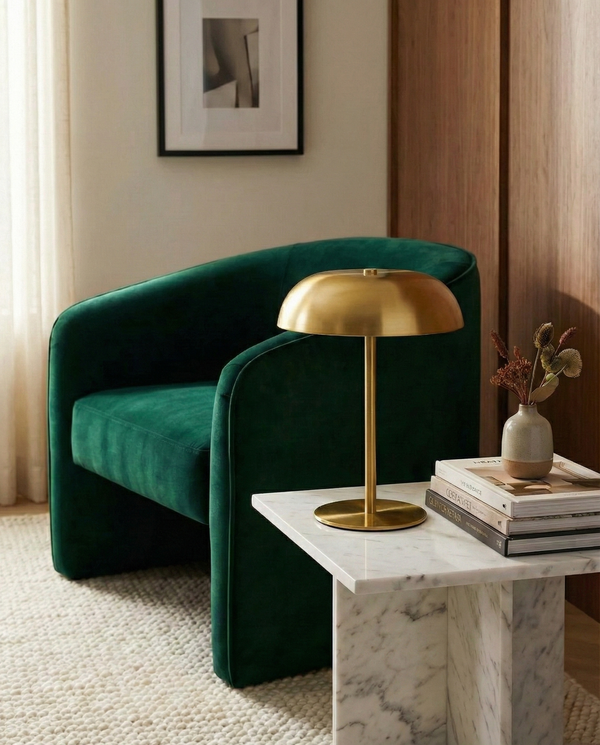

A home desk often serves several purposes: video calls, paperwork, screen work and an evening email. A lamp chosen purely for looks may leave a notebook shaded, while a source placed too close to the monitor creates distracting reflections. Warm wood, adjustable metal or a small cordless model: the right choice depends on what you actually do on the desk and where the light can stand.
Our guide to lighting a home office covers the whole room; this article helps you choose a table model from our table lamps.
Separate screen, notebook and video calls
Start with the object that needs light. A notebook or printed document needs a clear source on the page, without the writing hand casting a shadow. A screen already emits light; the goal is often to avoid a large contrast with the wall behind it and direct reflections in the display. A video call adds the face, which a desk lamp may not flatter automatically.
Try the arrangement in daylight and again in the evening. Put a book where you work and switch on the room's general light. If the page stays dim, the table lamp needs to help. If the wall behind the monitor becomes a dark void, a separate ambient light may be more useful than a stronger source on the desktop.
Reserve real space on the desktop
Keyboard, mouse, cup, documents and charger quickly fill a small desk. Measure the remaining space with those objects in place. The lamp should not force you to move a notebook every time you switch it on. On a narrow top, choose a compact base or move an ambient lamp to neighbouring furniture.
Consider the cable route as well. Mains power is simple if the lamp stays put. A rechargeable model removes the wire from the desk, but you still need to decide where and when to charge it. Cordless means more freedom of placement, not an absence of upkeep.
Wood warms a technical workspace
A desk is filled with smooth surfaces: display, keyboard, plastic and often metal. Bolora brings natural wood and a retro outline to make the work area feel more domestic. Its page describes an integrated LED and soft ambient light. That can be attractive when the desk is visible from the lounge or shares a bedroom.
Do not confuse a warm presence with a directed task beam, however. If you annotate small text or draw, check the result on paper from your usual seat. An ambient lamp can complete a desk without necessarily being the only useful source for every task.
Touch-controlled metal adapts to the moment
Celora is a metal and acrylic table lamp, USB rechargeable, with touch controls and three listed light tones. That type of adjustment can accompany a shift from reading a document to a calmer late-evening mood. Choosing a tone does not replace placing the source well.
If practical, stand the lamp on the side opposite your writing hand, then inspect what the screen reflects. An adjustable lamp may offer several moods, but it cannot correct a light seen directly in the eyes. Its metallic finish also attracts attention, working best when the rest of the desktop stays reasonably simple.
Cordless suits a changing workspace
Carora is easy to move because its battery recharges through USB-C. Its touch control offers three intensities according to the product page. It can follow a laptop from dining table to desk corner or help with a few pages without adding visible cables. The mushroom dome remains decorative when switched off.
Before choosing it as the main working lamp, check the size of the area it lights in your arrangement. A soft, pleasant pool on a small surface may not be enough for large plans or precise work. The right use is one you can confirm from the product's dimensions and photographs.
Avoid reflections rather than chasing power
With a screen, direction is often the problem, not merely output. Place the lamp so the source does not reflect in the display while you are seated. Move it a little and view the screen from your normal position: the test is immediate.
For paper documents, check the reverse: the page should be visible where your hand works. If both uses coexist, one position may not be ideal all the time. A small mobile lamp can then help, or you can reserve the table light for paperwork and give ambient light to another source in the room.
Connect the desk to the rest of the home
A working corner in the lounge should still look appealing when the computer closes. Bolora's wood can bridge to a bookcase, Celora's metallic finish can echo a handle, and Carora's matt form sits quietly on a console. Choose one visual connection with an existing object rather than seeking a perfectly matched set.
When the working day ends, switch off the task source and keep only the ambience you genuinely use. That separation lets the desk become part of the room again. It also lets you judge the lamp as a decorative object, which matters when it remains visible through the hours you are not working.
Wood, metal or cordless: which role?
| Option | Strength | Check |
|---|---|---|
| Wood and integrated LED | Warm presence | Light on documents |
| Touch-controlled metal | Several light tones | Screen reflections |
| Cordless mushroom | Easy to move | Lit area and charging |
The table compares uses, not laboratory performance. The final test is your own desk and screen.
Three lamps for three ways of working
These products are active. The functions below match current Shopify pages, without promising identical task light from every model.

Bolora — wooden desk lamp
A retro-shaped desk lamp in natural wood. Integrated LED and mains cable included; the page highlights its soft ambient light.
- Natural wood
- Integrated LED
- Mains cable included

Celora — touch-controlled metal
A metallic table lamp with touch controls and three light tones. USB charging and cable are included according to its page.
- Touch control
- Three tones
- USB rechargeable

Carora — cordless mushroom
A matt lamp with integrated LED, touch activation and three intensities. The battery recharges by USB-C and the cable is included.
- Three intensities
- USB-C rechargeable
- Cable included
Frequently asked questions
Should a desk lamp light the screen?
A screen already produces light. The lamp mainly helps you see documents and prevents the working area becoming too dark, without reflecting in the display.
Can a cordless lamp last through a working day?
That depends on use, actual battery capacity and charging frequency. Check the model's page and plan a charging place; do not assume an endurance that is not specified.
Is soft light enough for writing?
Not necessarily. Open a document in the real working position and check whether it stays readable without a shadow from your hand. Add a more focused source if the page lacks light.
Where should the lamp stand relative to the screen?
Sit in your usual place, switch on the lamp and inspect the reflections. Move it until the display stays clear while documents receive light.
Buy for the work you actually do
Bolora's wood gives a soft presence, Celora offers touch settings and Carora adds mobility. Choose by the object you illuminate, the space available and cable routine. Browse our table lamps to compare formats.


